Follow this guide to set up Develop Diverse in Microsoft Word for your entire company as a Microsoft Administrator. Click here for how to install and use Develop Diverse on Micrsoft Word.
Notice: Microsoft Word Add-In requires the Professional plan. Please contact support if Microsoft Word Add-In is not enabled.
App Permissions & Capabilities
Privacy by design. The app can only access text when the add-in is opened by the user and the add-in is never opened by default. The add-in works within Microsoft Word and when it is used, it can:
- ReadWriteDocument (Can read and make changes to your document)
- SendReceiveData (Can send data over the Internet)
Step-by-step guide for AppSource Deployment
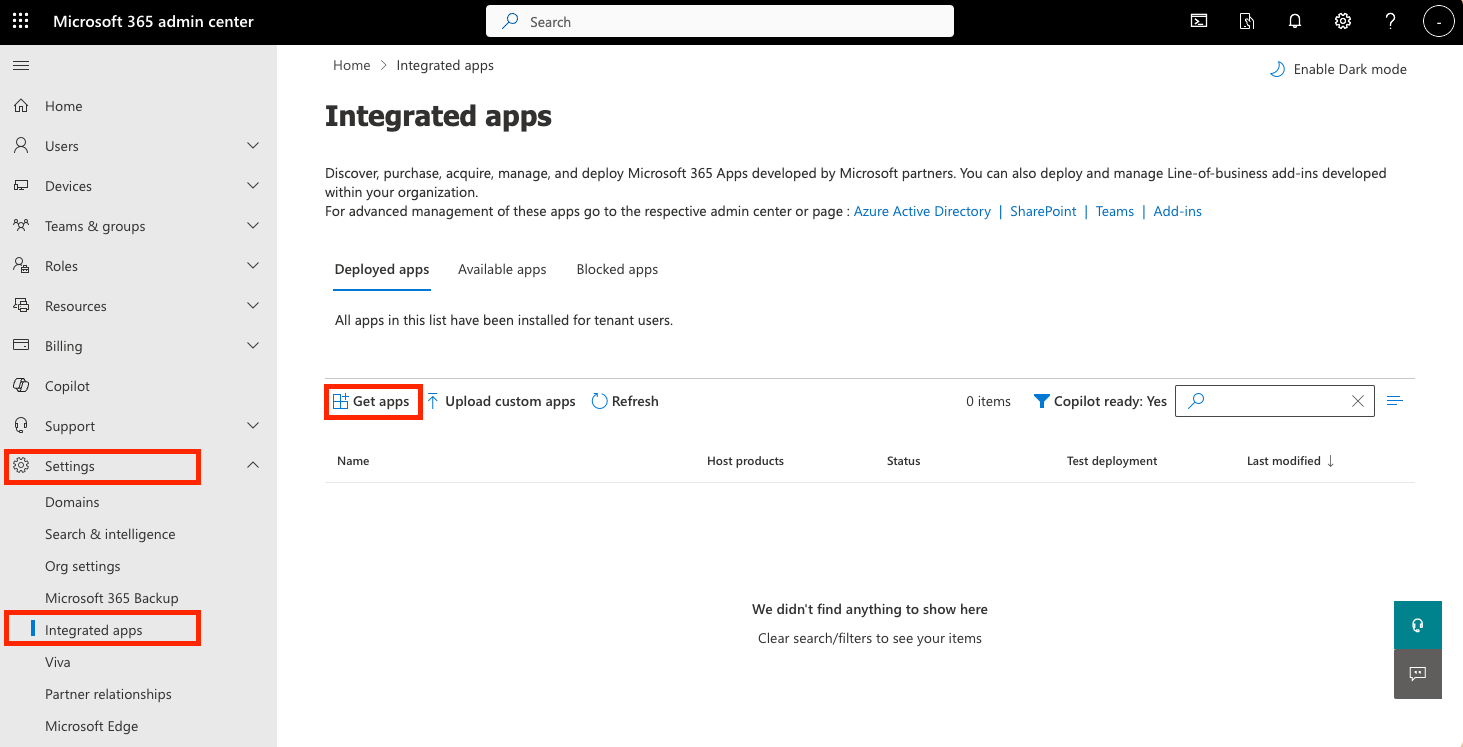
- Go to the Microsoft 365 Admin Portal
- Expand the menu and click Settings
- Click Integrated apps
- Click Get apps
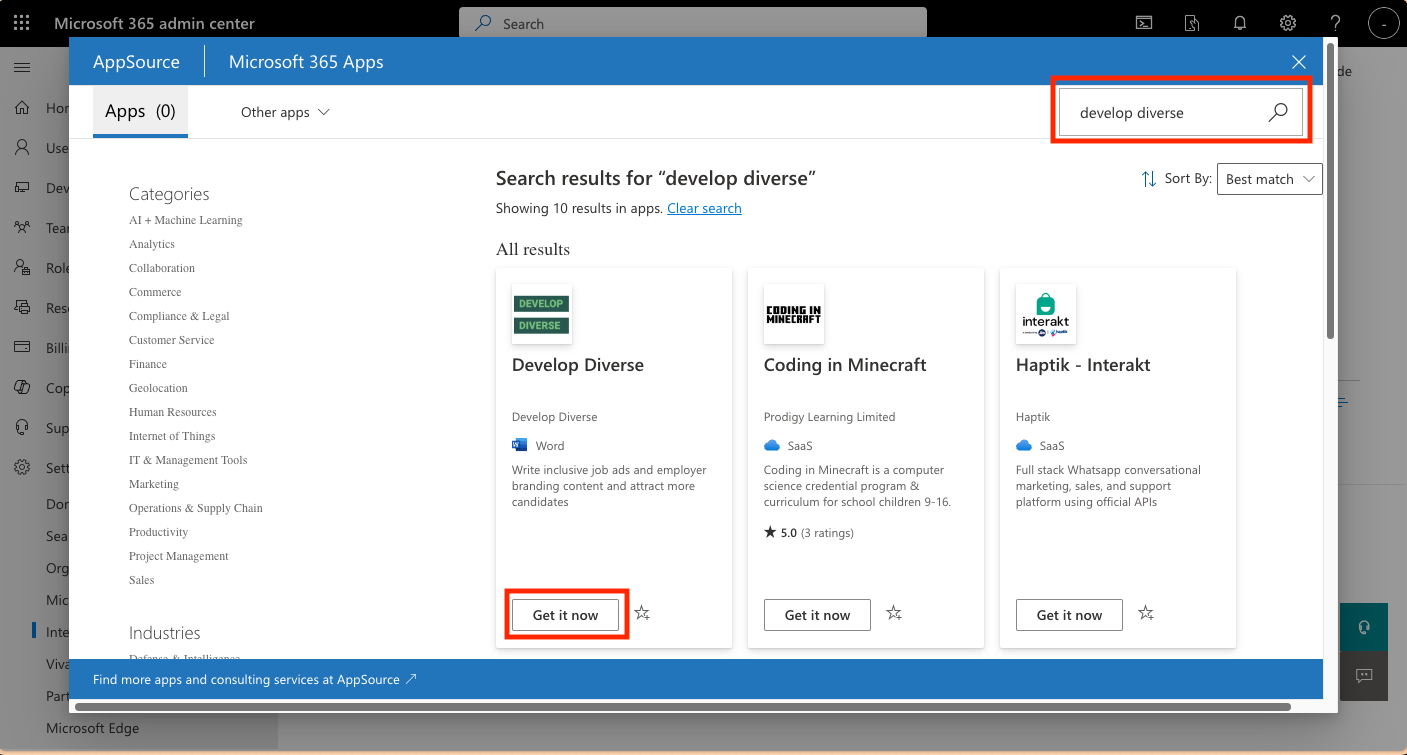
- Search for Develop Diverse in top right search bar
- Click Get it now in the search result
- Click Get it now to conform to continue in the popup window
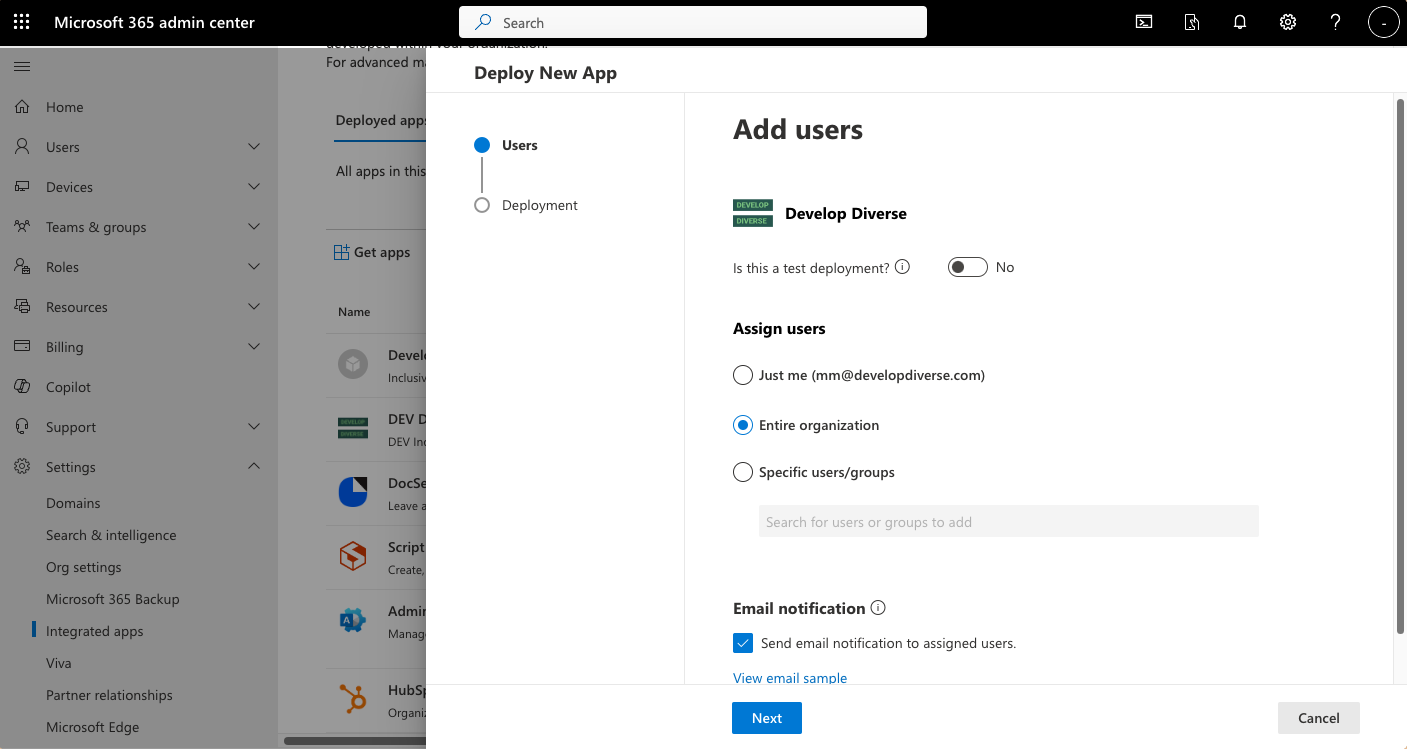
- Select which Users/Groups should have access (or Entire Organization) and click Next
- Accept permissions request by clicking Next
- Click Finish deployment to begin the deployment of the add-in.