
As an Admin or Manager, you can access comprehensive insights into your teams’ performance, including a breakdown of text entries by type and inclusivity score. Here’s how to navigate and make the most of these insights:
Accessing Team Insights
- Log in to the Develop Diverse platform and navigate to the Insights section in the header.
- Click on Team Insights to view a list of all teams with their respective number of created text entries and average inclusivity scores.
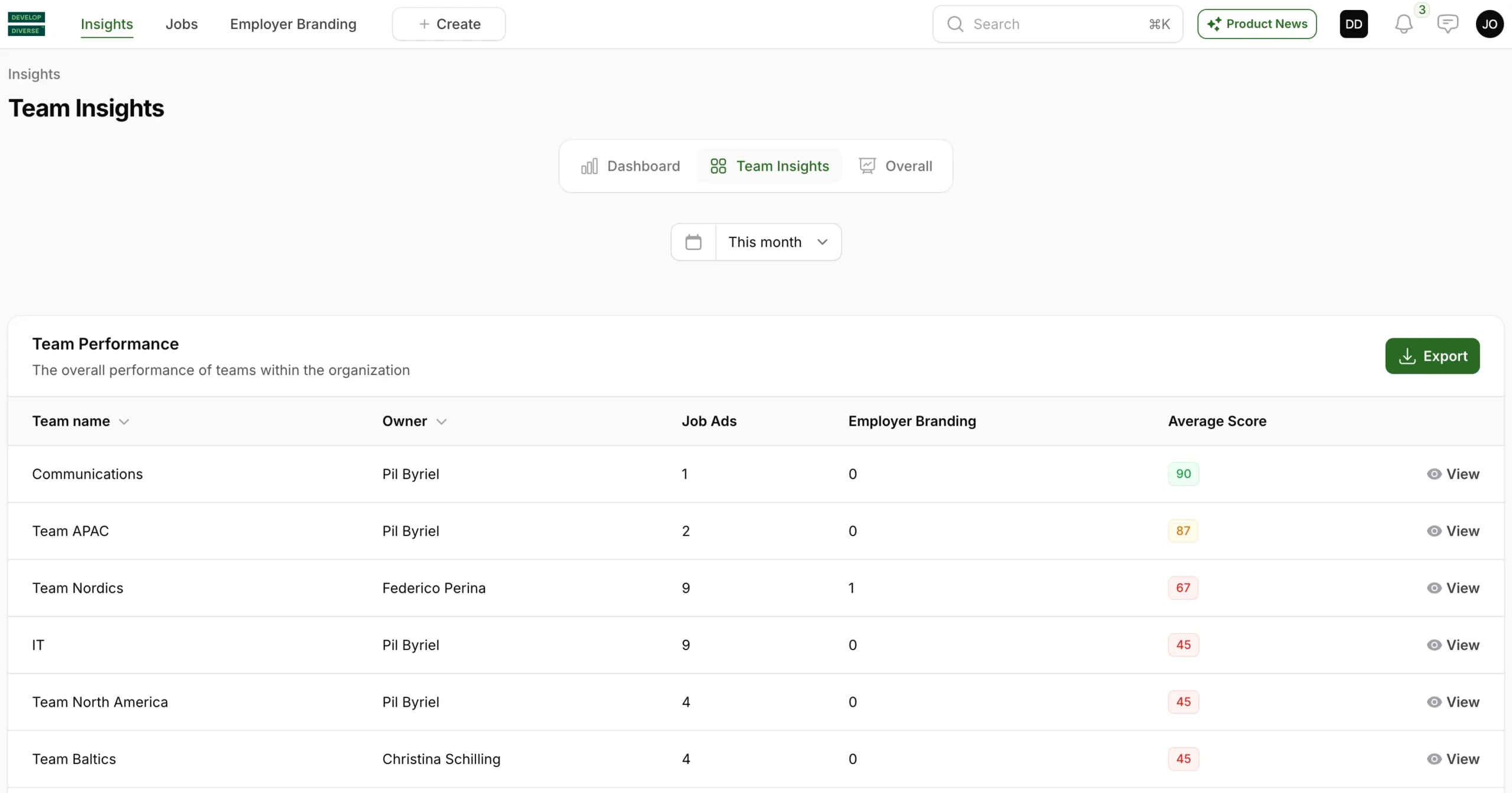
Drilling Down Into Team Insights
To get more detailed information about a specific team:
- Find the team you want to explore.
- Click on View next to the team name. This will open a new page with detailed insights for the selected team.
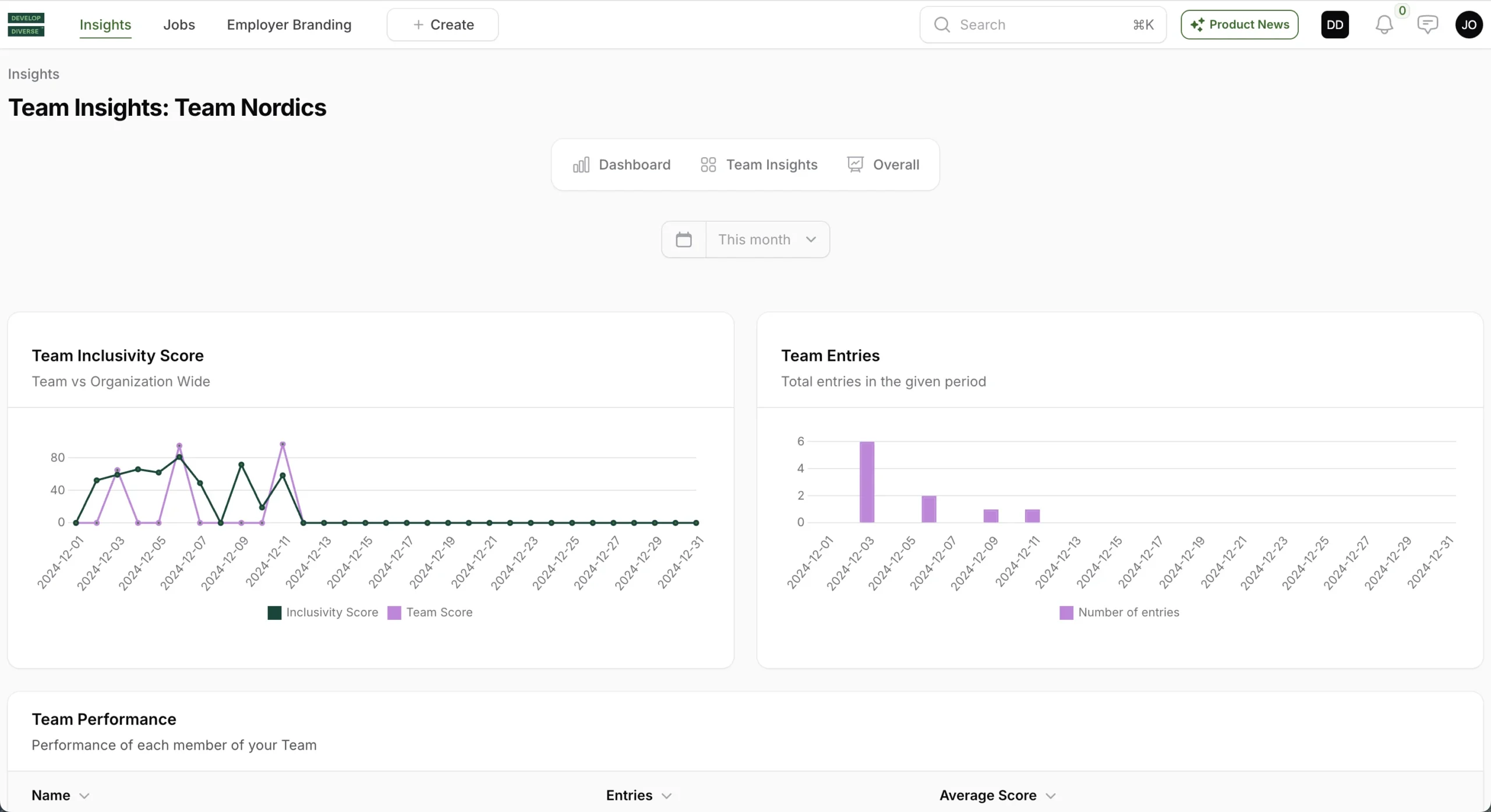
Team Inclusivity Score Graph
This graph provides a visual representation of your team’s inclusivity score performance:
- Inclusivity Score (Dark Green): This represents the overall inclusivity score of your company.
- Team Score (Purple): This indicates the average inclusivity score of the entries created by the team.
Team Entries
This section displays the total number of text entries created by the team.
Team Performance
View the performance of individual team members, including the number of entries they have created and their average inclusivity score.
Team Entries in Period
Here you can find all the text entries created by the selected team during the specified time period.