
Your dashboard experience is tailored to your role within the platform. Let’s explore your dashboard features as an Admin:
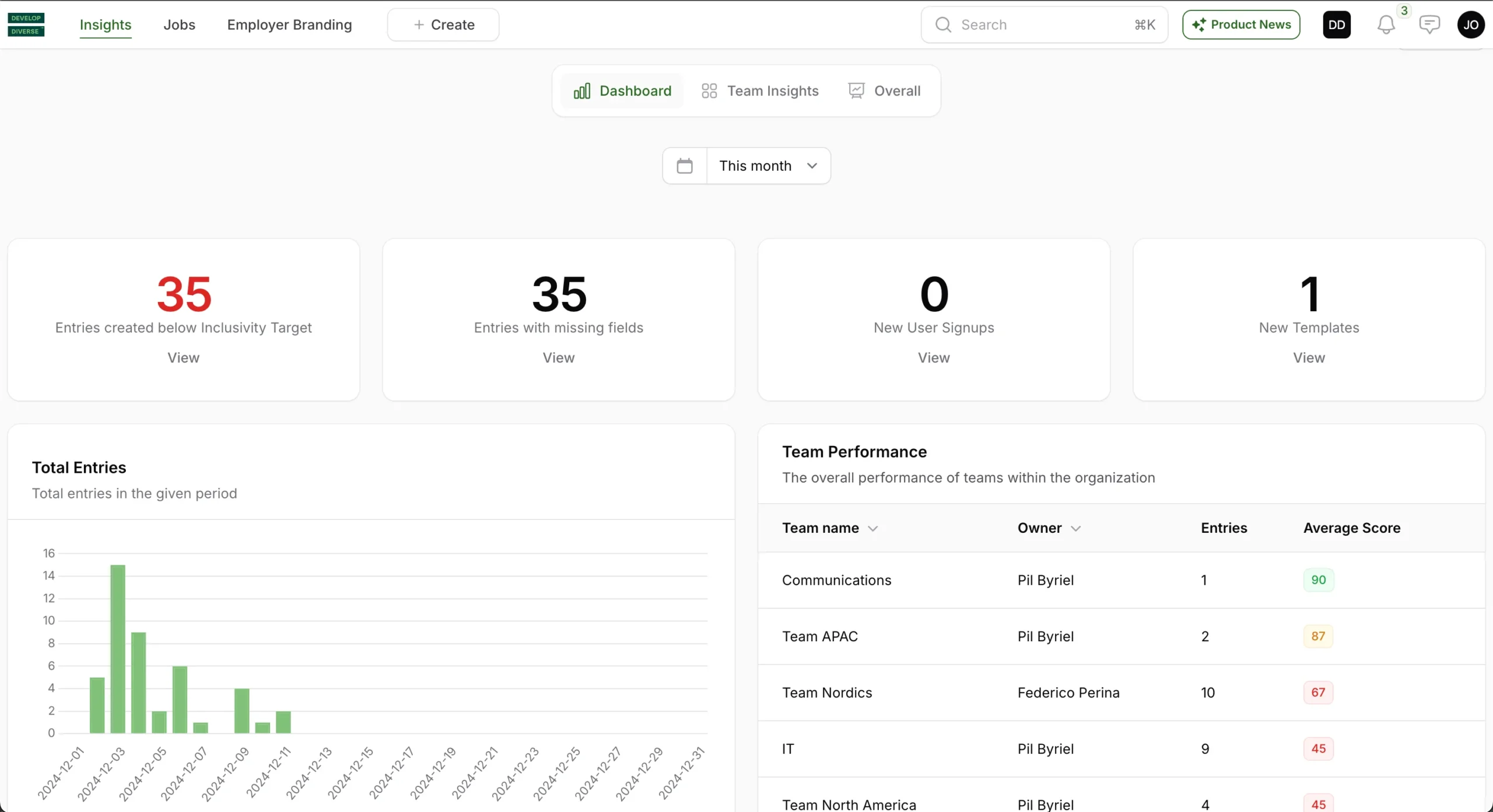
Entries Created Below Inclusivity Target
This section highlights the number of entries created by all users within a specified time period that fall below your company’s inclusivity target. Click “view” to identify and address entries that don’t meet the target.
Entries with Missing Fields
View all entries of all users that are missing fields, such as the Req ID. Click “view” to identify and address entries that require attention due to missing information.
New User Signups
Track the number of users who signed up during the selected time period.
New Templates
Identify the number of templates created by all users within the selected time period.
Total Entries
Track the total number of text entries created by all users in the specified time period.
Team Performance
Review a comprehensive list of all teams with details on their number of entries created and the average inclusivity score.
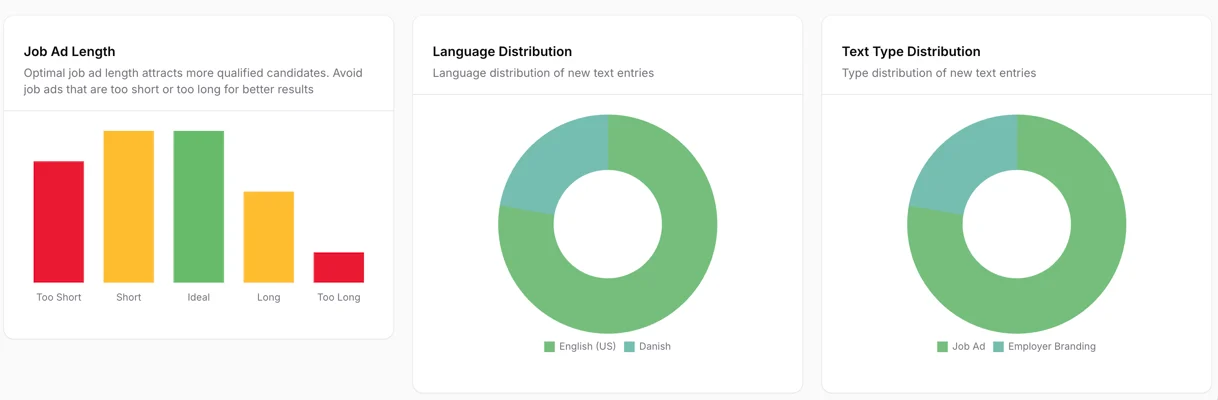
Job Ad Length
View the distribution of the length of job ads created in Develop Diverse. Ideally all your job ads have a job ad length between 300 and 650 words. See here the grouping:
Too short job ad: 0-150 words
Short job ad: 151 – 299 words
Ideal job ad: 300 to 650 words
Long job ad: 651 – 800 words
Too long job ad: >800 words
Language Distribution
View the distribution of text entries created in Swedish, Danish, and English during the selected time period.
Text Type Distribution
View the distribution of text types, including employer branding and job ads, for all text entries created in the selected time period.