
You can receive regular reports on your organization’s performance on a weekly, monthly, or quarterly basis. The report contains the following information:
- Your average inclusivity score in the selected period.
- Your total number of entries created in the selected period.
To configure your reporting settings, follow these steps:
- Go to Account Settings:
Click on your avatar in the upper right corner of the platform. - Scroll to Reporting:
In the Account Settings menu, scroll down to find the Reporting section.
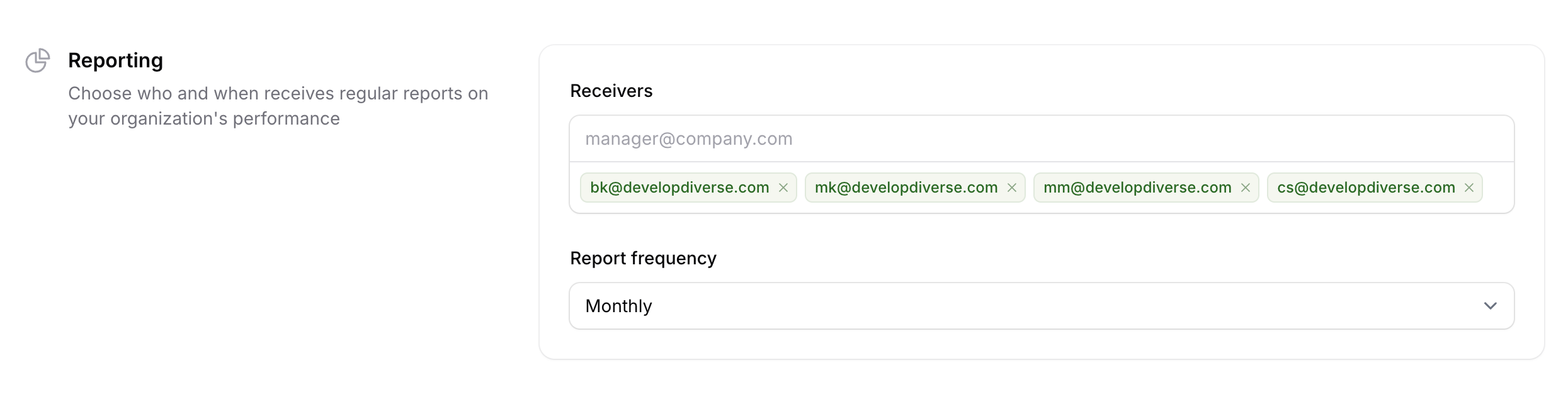
Receivers
Add the email addresses of those who should receive the report. These can include users who are not part of the platform.
Report Frequency
Select how often you’d like to receive the report: Weekly, Monthly, or Quarterly.