
Welcome to the French Language Beta Program!
What to do
Crete and make 5-10 job ads inclusive within the upcoming week.
Nothing changes from how you normally use our platform (please see our Start Guide, if it’s the first time you’re using Develop Diverse):
- Log in, and click Create.
- Select Job Ad.
- Copy and paste your job ad into the editor.
- The platform detects it’s in French and suggests inclusive alternatives based on your settings.
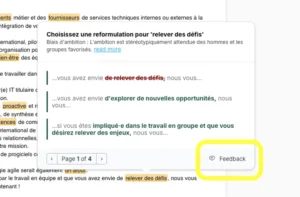
Give feedback
Use the Feedback button in the pop-up if:
- You disagree with a highlight.
- You don’t understand why a term is biased.
- The suggested alternatives don’t fit.
Gendered language settings (Admins only)
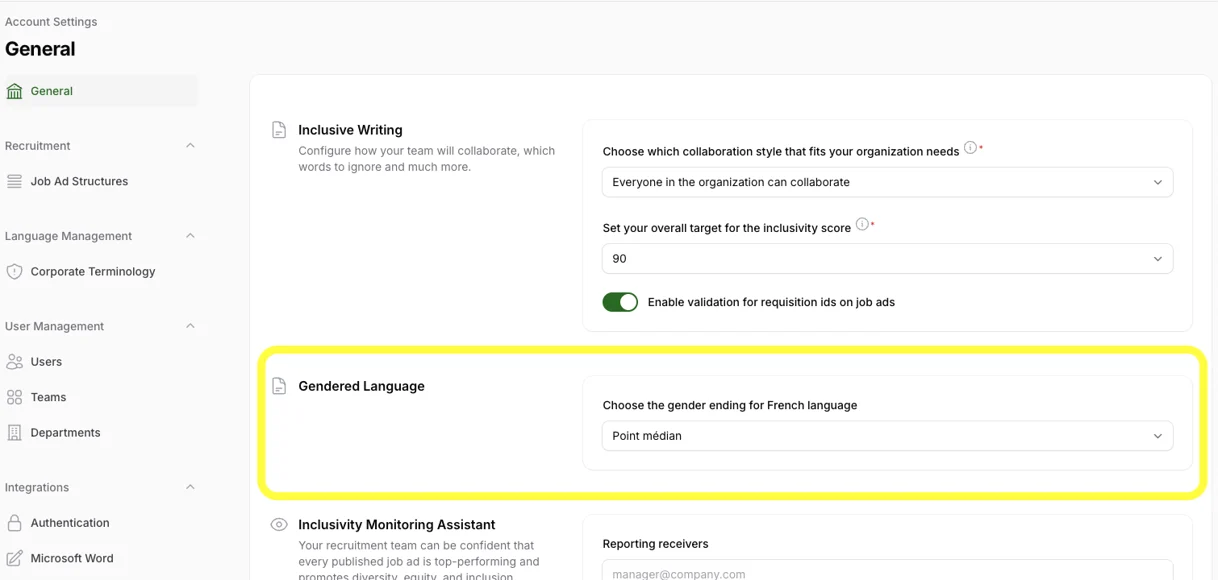
To align the alternatives we offer with your preferred gendered ending, you can change the settings for ‘Gendered Language’:
- Click on your profile icon in the upper right corner.
- Select Account Settings.
- Scroll to Inclusive Writing and find Gendered Language.
- Choose your preferred gendered ending for words referring to people (read more below).
- Save changes.
Gendered language options
You can choose from these formats:
- Double Forms: Uses both male and female versions, e.g., “salariés et salariées” (female and male employees).
- Brackets (): Lists both versions with brackets, e.g., “salarié(e)s”.
- Slash (/) Format: Adds both versions with a slash, e.g., “salarié/es or “salarié/e/s”.
- Dot (.) Format: Uses a dot, e.g., “salarié.e.s”.
- Hyphen (-) Format: Similar to the dot, e.g., “salarié-e-s”.
- Point médian (·) Format: Similar to the dot and hyphen, e.g., “salarié·e·s”.
- Capital E: Capitalizes “E” to include both genders, e.g., “salariéEs”.
Thank you for helping us improve inclusive language in French job ads!