
As an Admin, you can align the collaboration settings to your organization’s needs. Here’s a step-by-step guide on setting the collaboration mode:
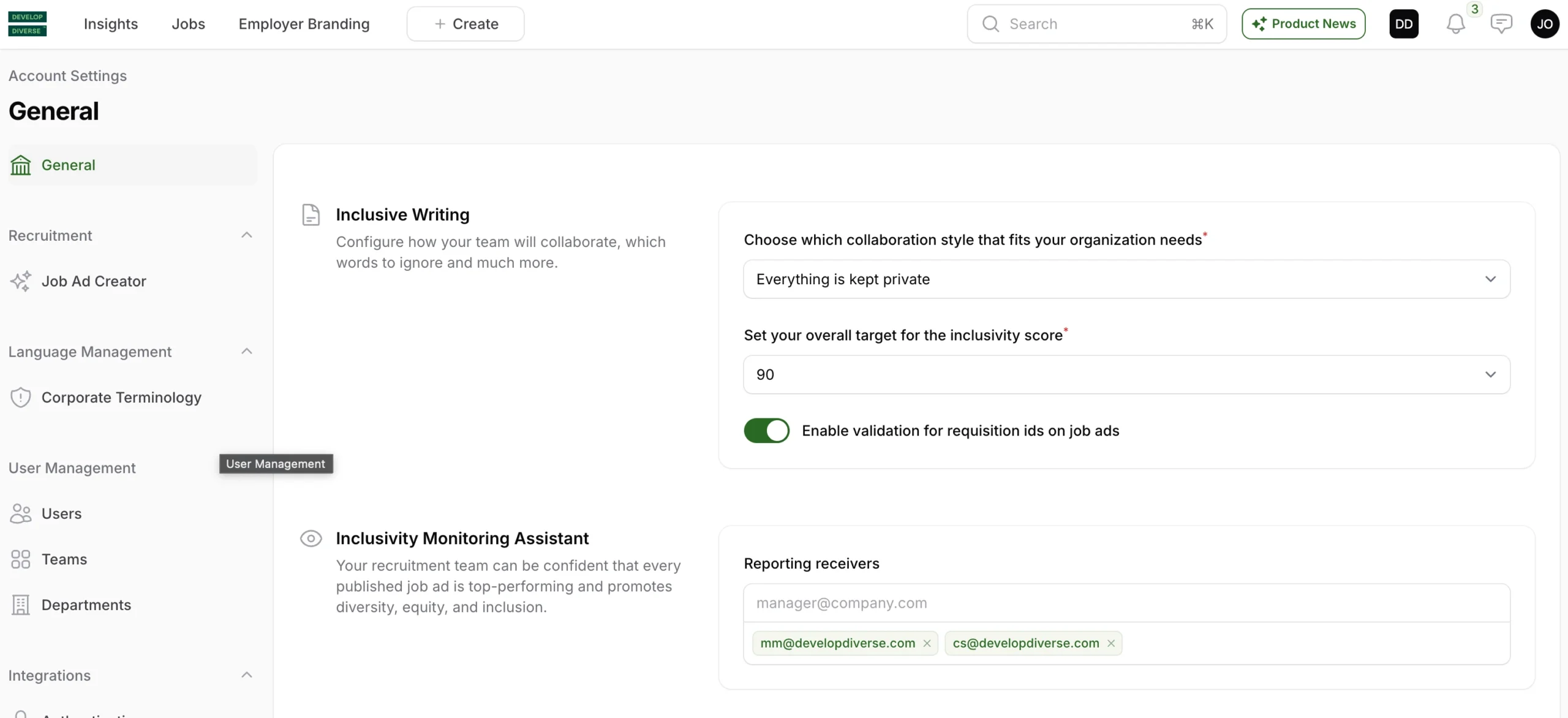
1. Access Account Settings
Click on your avatar located at the right upper corner of the screen to access account settings.
2. Inclusive Writing Section
Within the account settings, locate the “Inclusive Writing” heading.
3. Choose Your Collaboration Style
Under the “Choose which collaboration style fits your organization needs,” you have three options:
- Everyone in the organization can collaborate: All entries are visible and open to every user on the platform.
- Collaboration happens only in teams: Entries belonging to a team are visible and open exclusively to the team members.
- Everything is kept private: Everyone, except for the manager and admin, can see only their own entries.
Select the option that best suits your organization’s workflow and communication preferences.