
Your dashboard experience is tailored to your role within the platform. Let’s explore your dashboard features as a Manager:
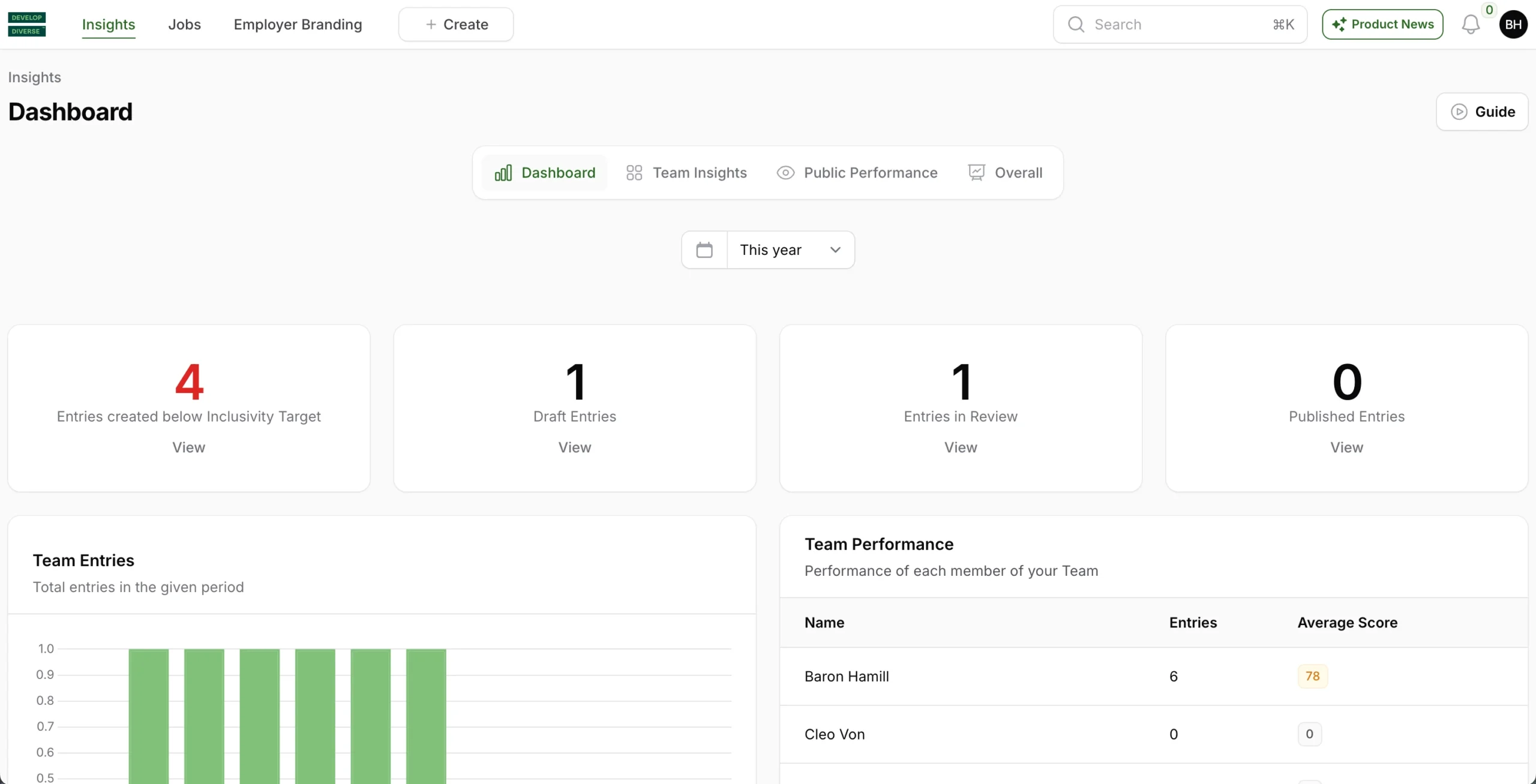
Entries Created Below Inclusivity Target
This section presents the number of entries created by your team(s) within a set time period that fall below your company’s inclusivity target. Click “view” to identify and address entries that don’t meet the target.
Draft Entries
View all entries of your team(s) that are currently in draft within the specified time period.
Entries in Review
Review all entries of your team(s) that are currently in the reviewing stage within the specified time period.
Published Entries
Explore a comprehensive list of your teams’ published entries within the set time period. Click “view” to delve into the specifics of the published entries.
Team Performance
Review a list of your team members with details on their number of entries created and the average inclusivity score.
Team Entries
Track the total number of text entries created by your team(s) in the specified time period.