
It’s important to note that the job title and the job ad heading serve different purposes:
- The job title is metadata that can be edited in the metadata overview.
- The job ad heading is the visible title at the top of the job ad in the editor.
While the job title and job ad heading may sometimes be the same, they often differ.
Two ways to edit the job yitle
Option 1: Edit in the dditor
- Open the editor for the specific job ad.
- Click on Actions.
- Select Edit Metadata.
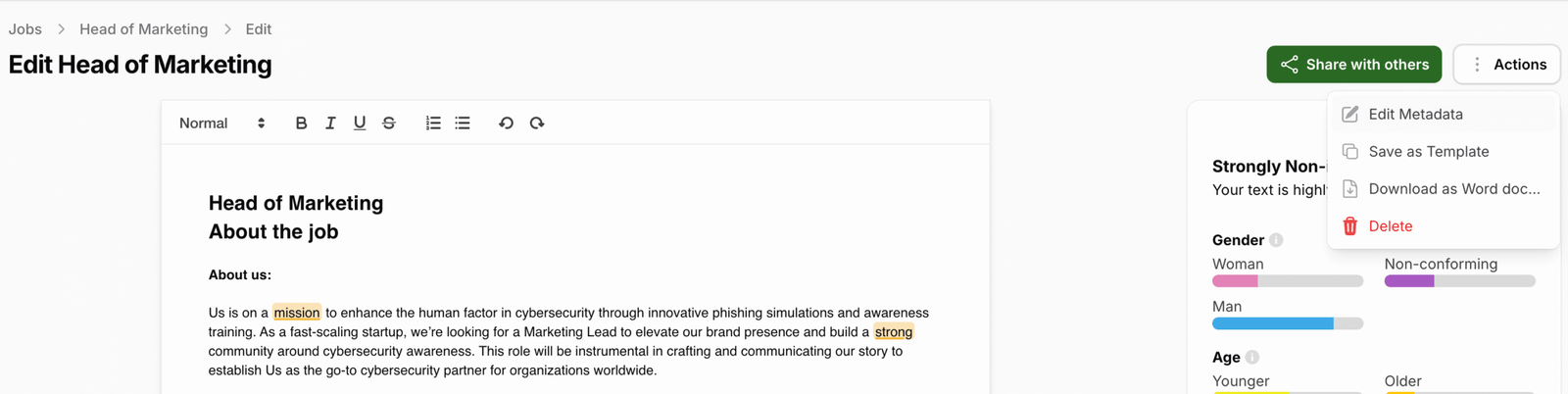
- Update the job title.
- Click Save.

Option 2: Edit in jobs overview
- Click on Jobs in the top navigation.
- Locate the relevant job ad in the list.
- Click on Quick Edit.
- Update the job title.
- Click Save.