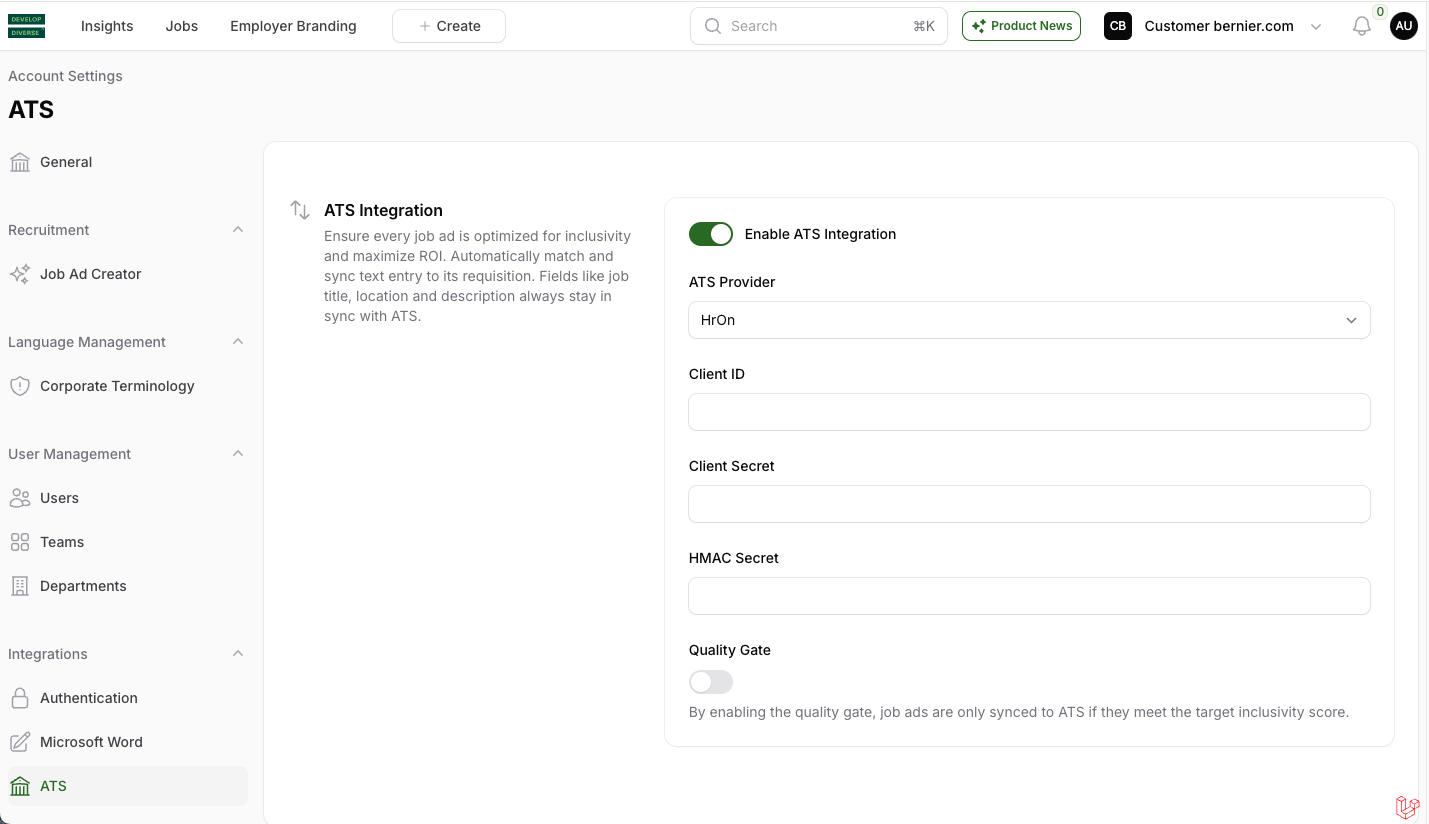
Easily connect HR-ON with Develop Diverse to create, edit, and sync inclusive job ads automatically. Follow these quick steps to get started!
Create HR-ON API key
Log in to your HR-ON ATS account, navigate to Settings, then API. Alternatively, you can go directly to the API settings using this link.
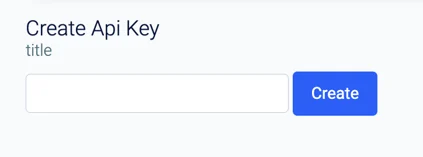
Create a new API key. Write “Develop Diverse” and click “create”.
How to set it up in Develop Diverse
- Go to Account Settings
As an admin, click on your avatar and select Account Settings. - Enable ATS Integration
Under the Integrations section, find ATS. Turn on the toggle to enable ATS integration. - Choose HR-ON
Select HR-ON as your ATS provider and enter your HR-ON Client ID, Client Secret and HMAC Secret. - Set up the Quality Gate (Optional)
Want to ensure your job ads meet your inclusivity goals? Enable the Quality Gate so that only job ads hitting your target inclusivity score can be synced back to your ATS. - Save changes
Click Save, and you’re done! All your job details from HR-ON will now sync to Develop Diverse, making it easier to draft and sync inclusive job ads.