
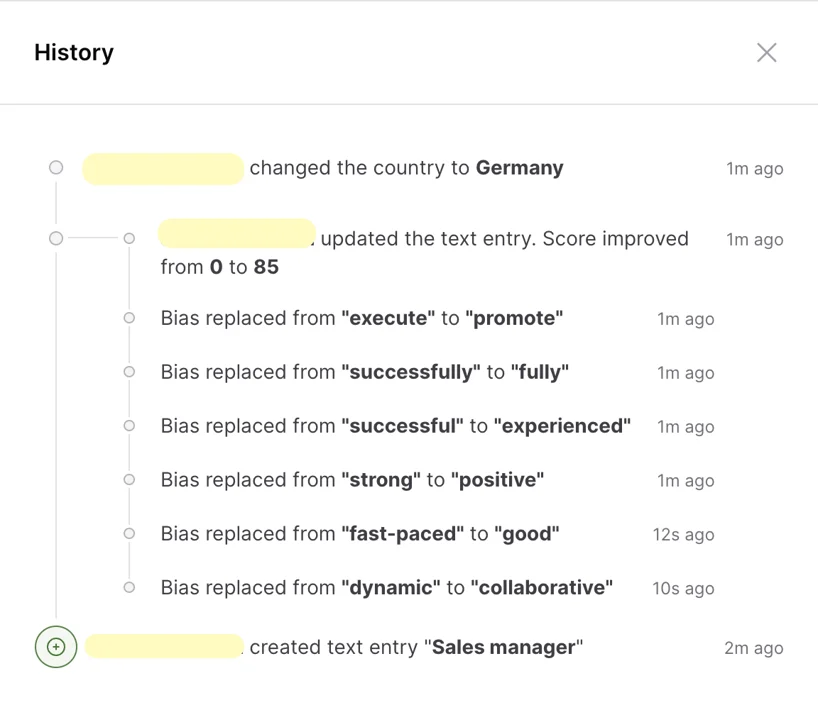
If you’re on the Professional plan, every change made to text entries is automatically tracked, providing complete transparency and accountability. You can easily view these changes by clicking on History in the upper right corner of the text entry editor.
What Information is Tracked?
The History feature logs the following details:
- Creating and Updating Text: Every time a text entry is created or updated.
- Inclusivity Score Changes: Any adjustments to the inclusivity score.
- Adding and Removing Collaborators: Changes to who can edit or view the text entry.
- Changing Assignee: Reassignments of tasks within the text entry.
- Updating Metadata: Modifications to status, language, or other metadata.
- Replacing Biased Words and Sentences: Any instances where biased language is corrected.
With the History feature, you can easily review the evolution of your text entries and ensure that every change aligns with your inclusivity goals.