
Create, edit, and sync inclusive job ads automatically between Develop Diverse and your ATS.
How it works
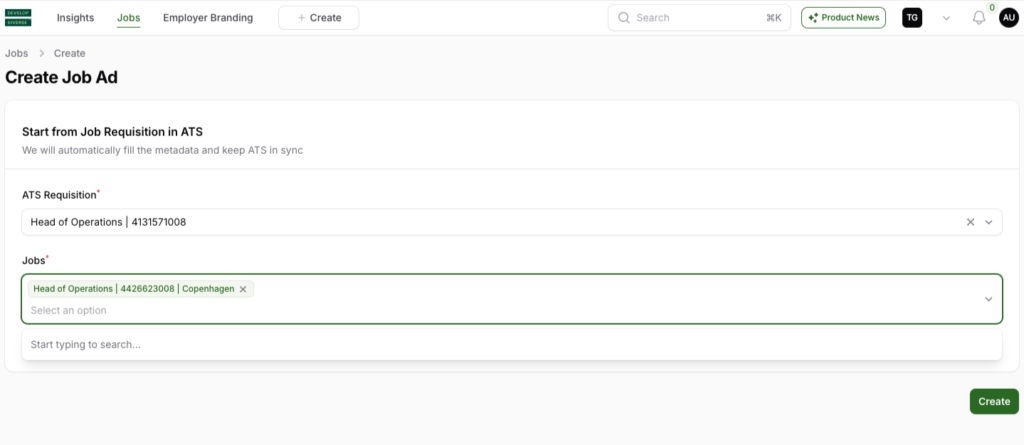
Find your job in Develop Diverse
Start by searching for the job requisition from your ATS in Develop Diverse. Select the job you want to work on. The job ad and all its metadata from ATS will automatically be synced to Develop Diverse. You can start analyzing and improving the inclusivity of your job ad right away!
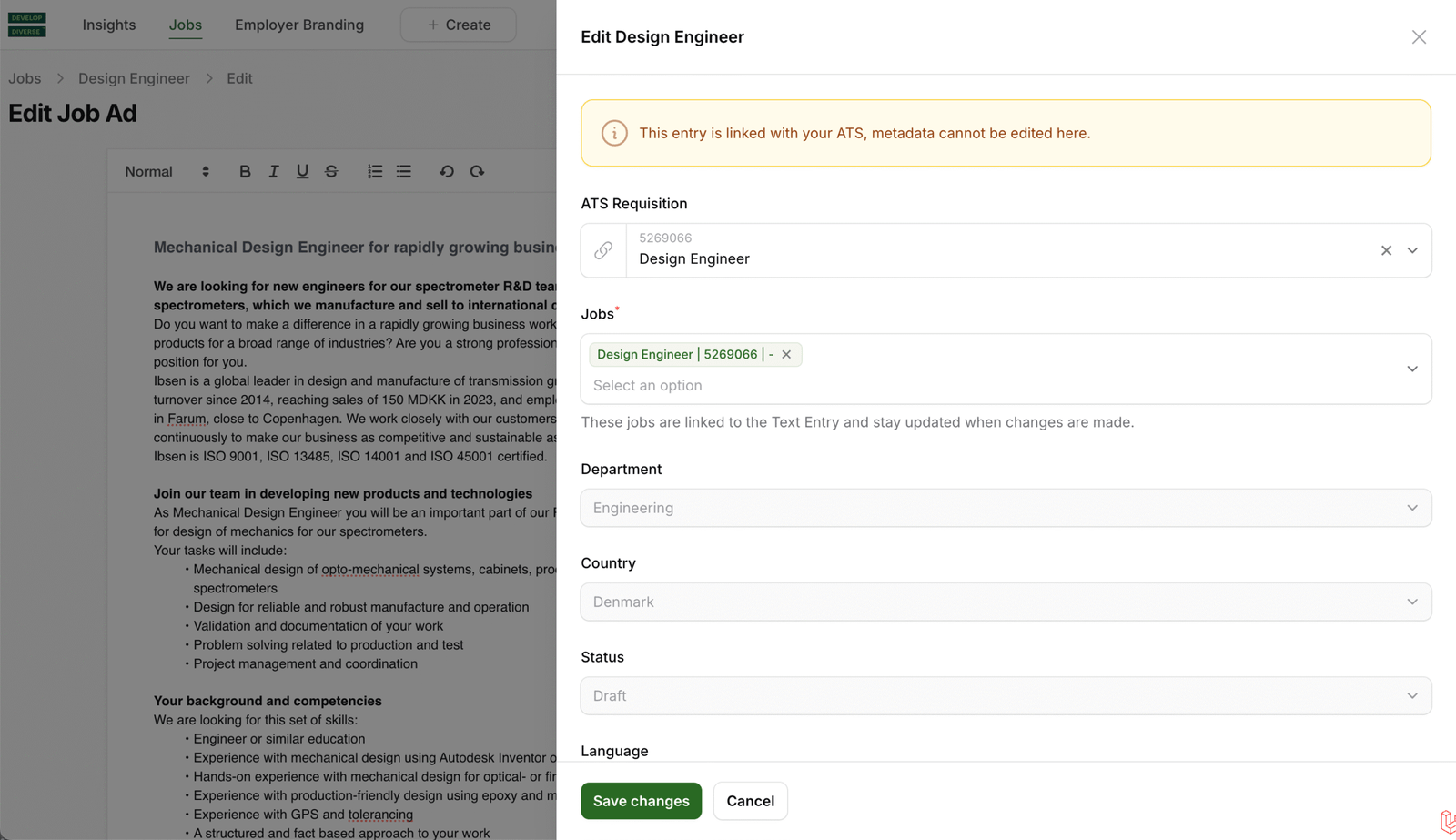
Managing Metadata
- Link or unlink jobs: Use the metadata section to link or unlink ATS requisition IDs or jobs.
- Update Metadata: To change other metadata fields, make the changes in ATS. These updates will sync automatically with Develop Diverse.
Syncing Back to your ATS
Once your job ad is inclusive and ready to go, it will automatically sync back to your ATS.
- If the Quality Gate is enabled, syncing will only happen once the job ad meets your inclusivity target.