
Admins, take charge of team creation and editing. Here’s a user-friendly guide on creating and managing teams:
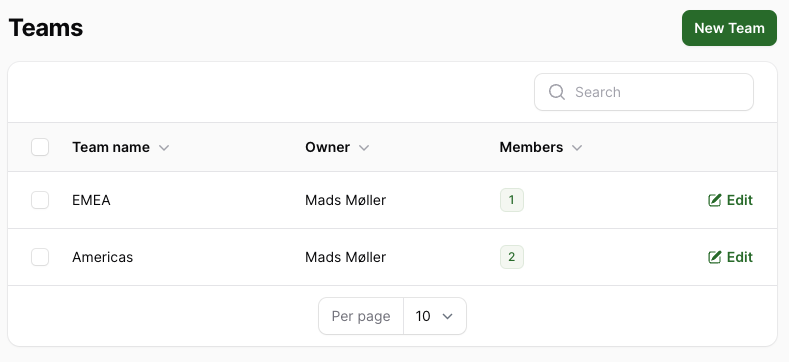
1. Access Teams
To find Teams, click on your avatar in the top-right corner, go to Account Settings, and look for Teams under User Management.
2. Create a New Team
Click on “New Team” to initiate the creation of a new team. Fill in the team name, assign a team owner, and add team members.
3. Edit Teams
To edit a team, click on the team you want to modify. Add or remove team owners and members as needed.
Collaboration Settings
Depending on collaboration settings, a team’s entries may be visible for sharing within the team.
Dashboard Insights
All team performances are conveniently displayed in your dashboard. Stay informed about your team’s activities and contributions.
Managerial Control
As a manager, you have the authority to add or remove members from your team. Keep track of your team’s performance on your dashboard.